 Creativity
 Claude
Make Claude your
creative strategist
Connect Creativity’s MCP and Claude reads your ad performance, AI tags, reports and the competitor catalogue, then answers like a strategist who knows your brand.
Works with Claude
Raw ad data isn’t creative strategy
Meta’s MCP gives Claude your numbers. Creativity gives Claude the numbers plus the creative context behind them.
What Claude sees, and what it never touches
- Claude reads the one workspace you pick: your ad performance, your creatives with their AI tags and transcripts, your saved reports and the competitor library.
- It looks at your own ads’ images: a video’s poster frame, an image ad itself.
- It reads the comments on your ads as text, never who wrote them.
- Edits touch your saved reports only, and only when you tick Allow edits. Nothing ever changes in Meta.
In Claude on the web, the desktop app, Cowork and the iPhone app, your ads open as a gallery you can play in the chat.
Connect once, strategize forever
The 3 steps on how to connect Creativity’s MCP to Claude
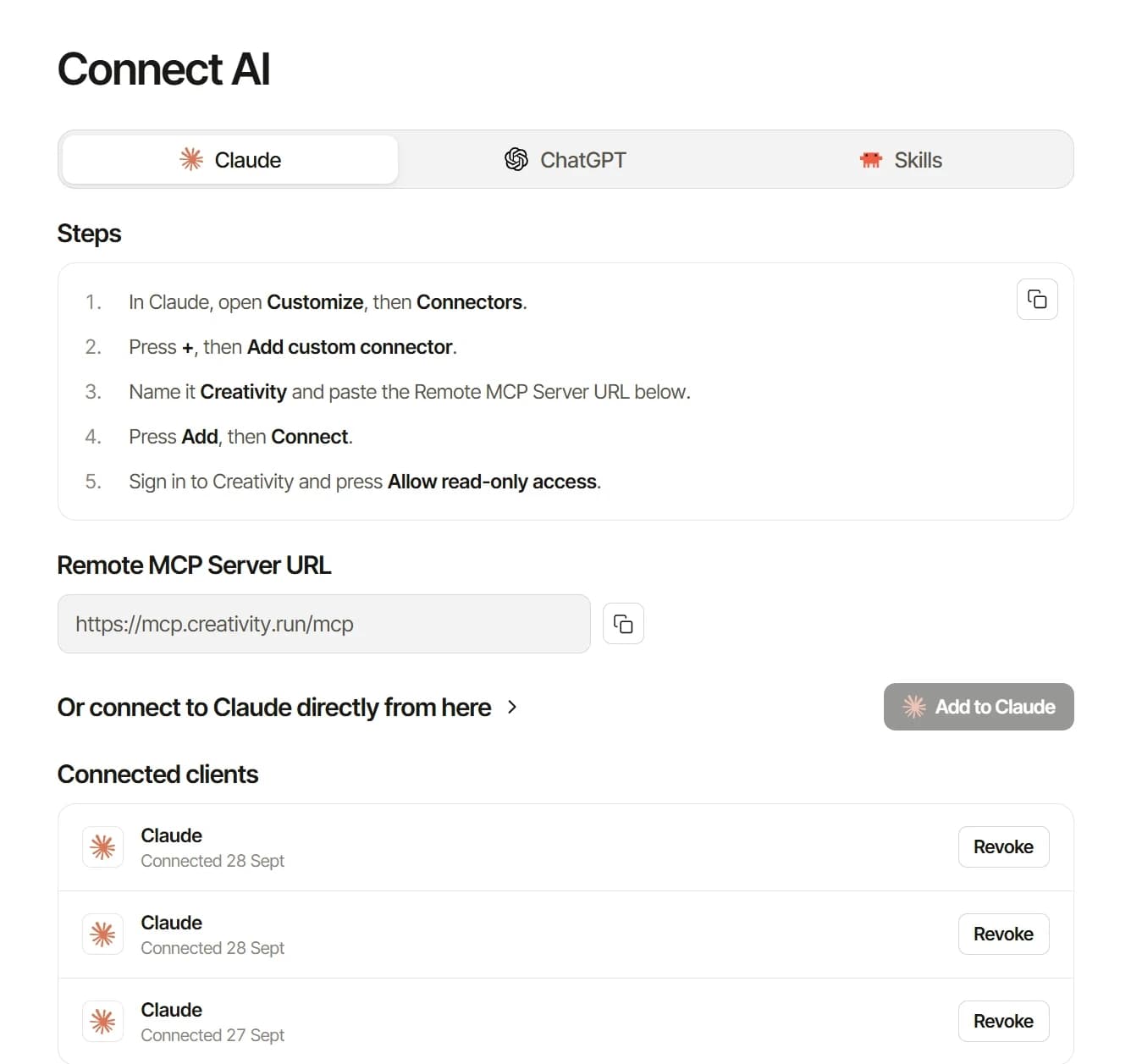
Connect Claude to Creativity’s MCP
In Creativity, open Connect AI and press Add to Claude, then pick the one workspace Claude will read.
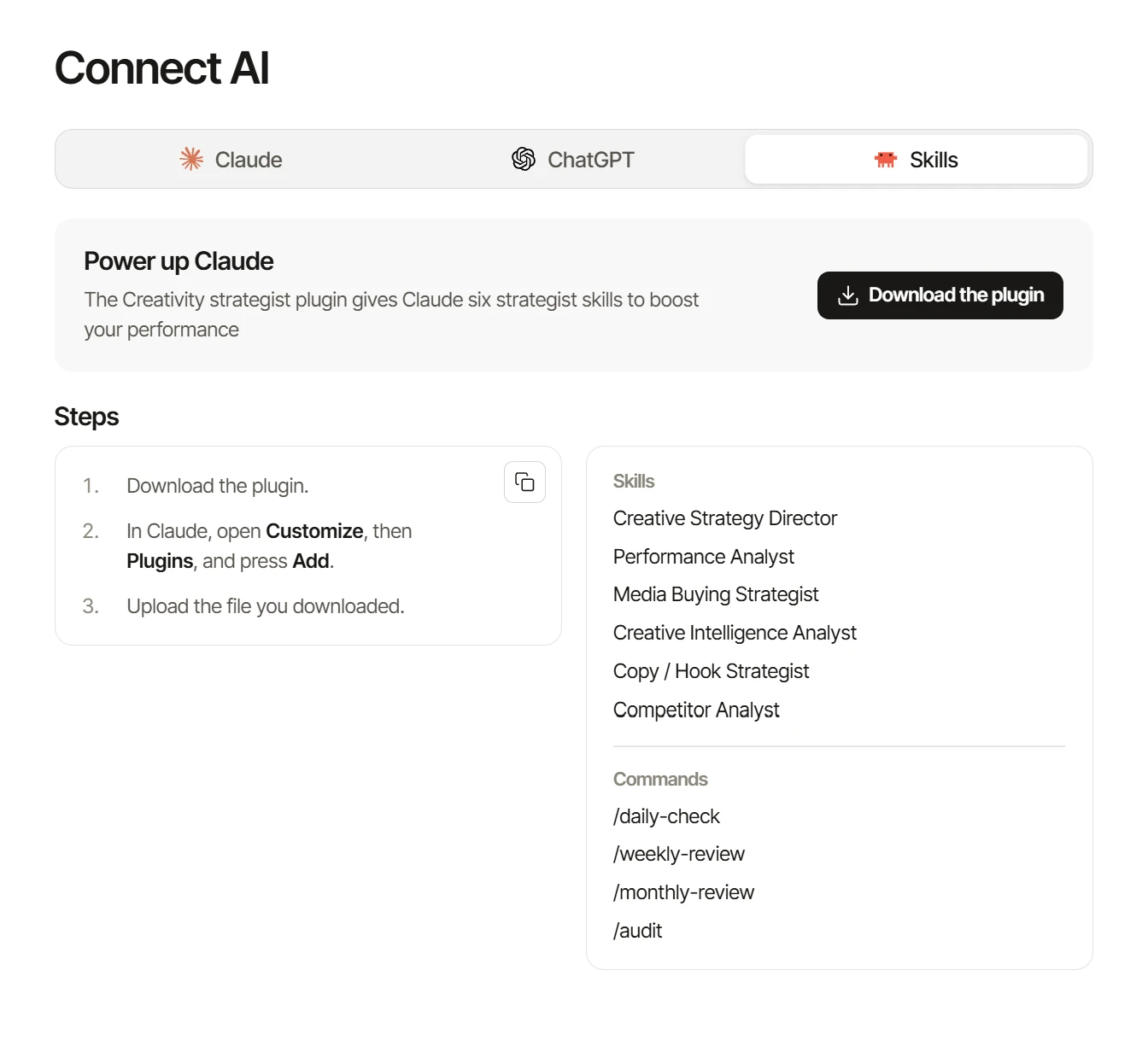
Install Creativity’s skills
Add Creativity’s plugin: nine creative strategy skills, the connector skill and five commands, so Claude analyzes your ads the way a strategist would.
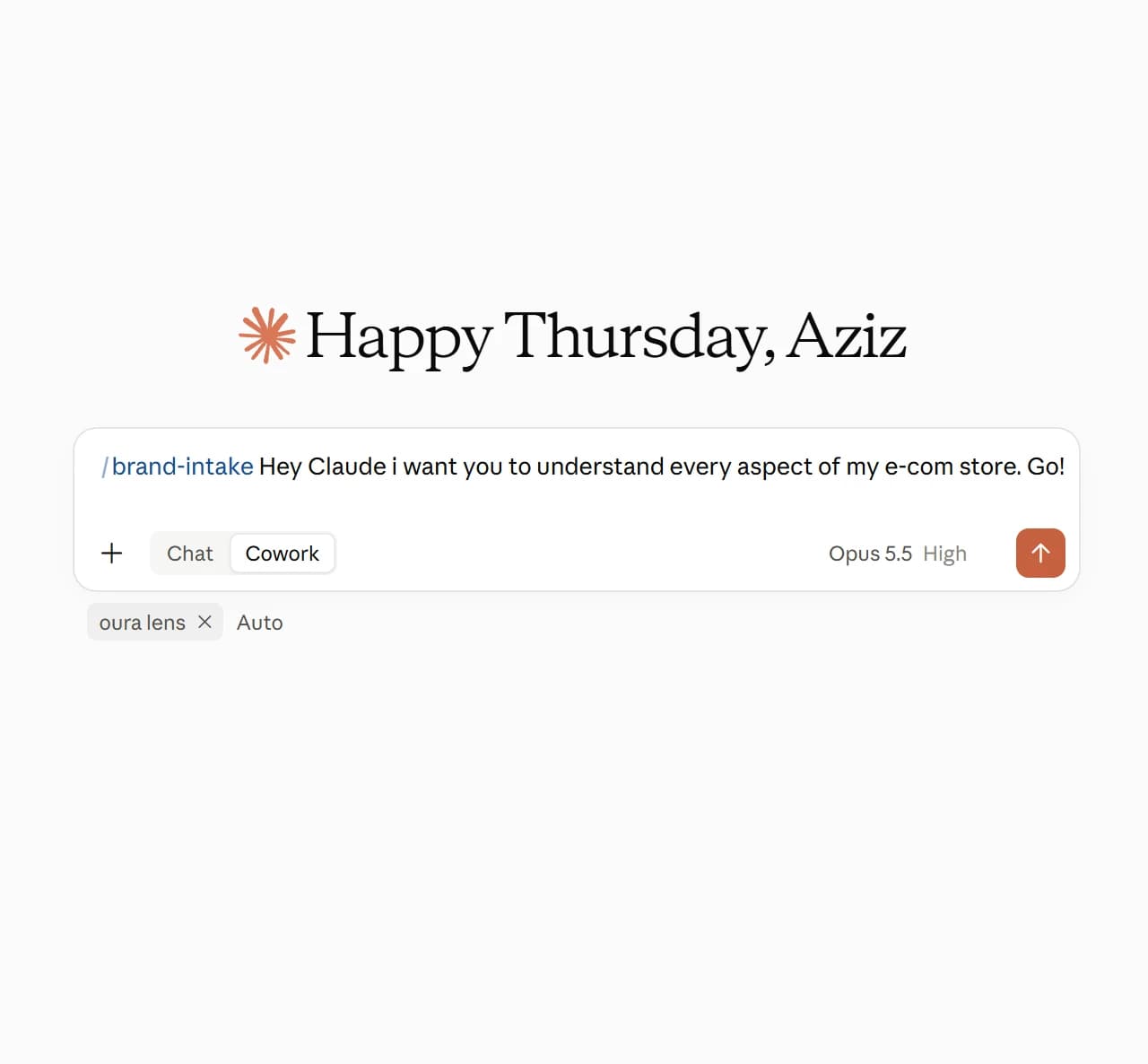
Teach Claude your brand
In a new Claude project, run /brand-intake, then start using it to 10x your creative analysis.

Read about it on our blog
We wrote down the best practices of using Creativity’s MCP to 10x your productivity & turn you into an elite creative strategist.